ChatGPT Plugins vs MCP Connectors for Building Apps
MCP's open standard lets builders do what walled systems never could.
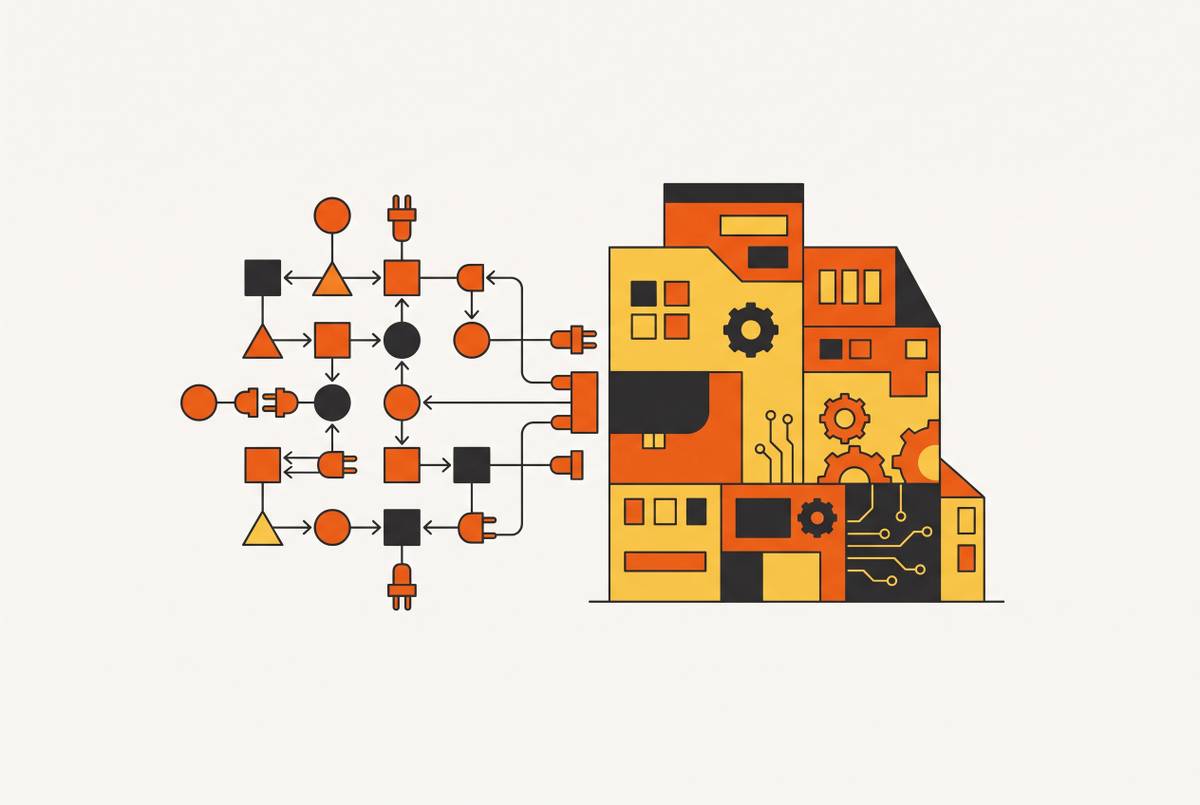
Search "ChatGPT plugins vs MCP" today and you'll get three different eras arguing with each other. One set of results describes a Plugin Store that shut down in April 2024. Another tells you plugins are dead, use Custom GPTs instead. A third, from mid-2026 onward, uses "plugins" as an umbrella term that covers something else. All three were accurate once. None of them tell you what's actually true right now, because the index hasn't caught up to the rename. This piece is the map: what each word means today, why the history matters, and what MCP connectors actually let a builder do that the old systems never could.
The three-act history: original plugins, GPTs, and their replacement
Act one starts in 2023, when OpenAI shipped its first plugin system. It was a real bet on tool integration, and for a moment it looked like the future: ChatGPT could search the web, book a flight, pull live data from a third-party service. But the architecture was rigid and proprietary. Every plugin was built for ChatGPT and only ChatGPT. There was no portability, no shared standard, just a walled directory. OpenAI shut it down in April 2024.
Act two was GPTs. They solved packaging better, letting anyone bundle instructions, files, and some tool access into something shareable. But the integration itself still lived inside a single assistant's ecosystem. Build an assistant with custom actions and those actions worked inside that one chat application. Nowhere else. The walls just moved.
Act three is where the story actually changes. Anthropic released the Model Context Protocol as an open-source standard in November 2024, built vendor-neutral from day one as a shared protocol anyone could implement. OpenAI adopted MCP in March 2025 instead of building a competitor: they joined a standard where thousands of servers already existed rather than asking the ecosystem to duplicate work for a second time.
Then, on July 9, 2026, OpenAI migrated its App Directory into something called the Plugin Directory. "Plugins" came back as the umbrella word, now covering skills, apps, and app templates. The word returned. The 2023 system it used to describe did not.
Each iteration before MCP failed or got replaced for the same reason: it was proprietary. The shift to MCP is the first time the integration layer itself became genuinely open, which is the whole reason this history is worth walking through before touching the vocabulary.
What MCP is and why its governance structure makes it different from everything before it
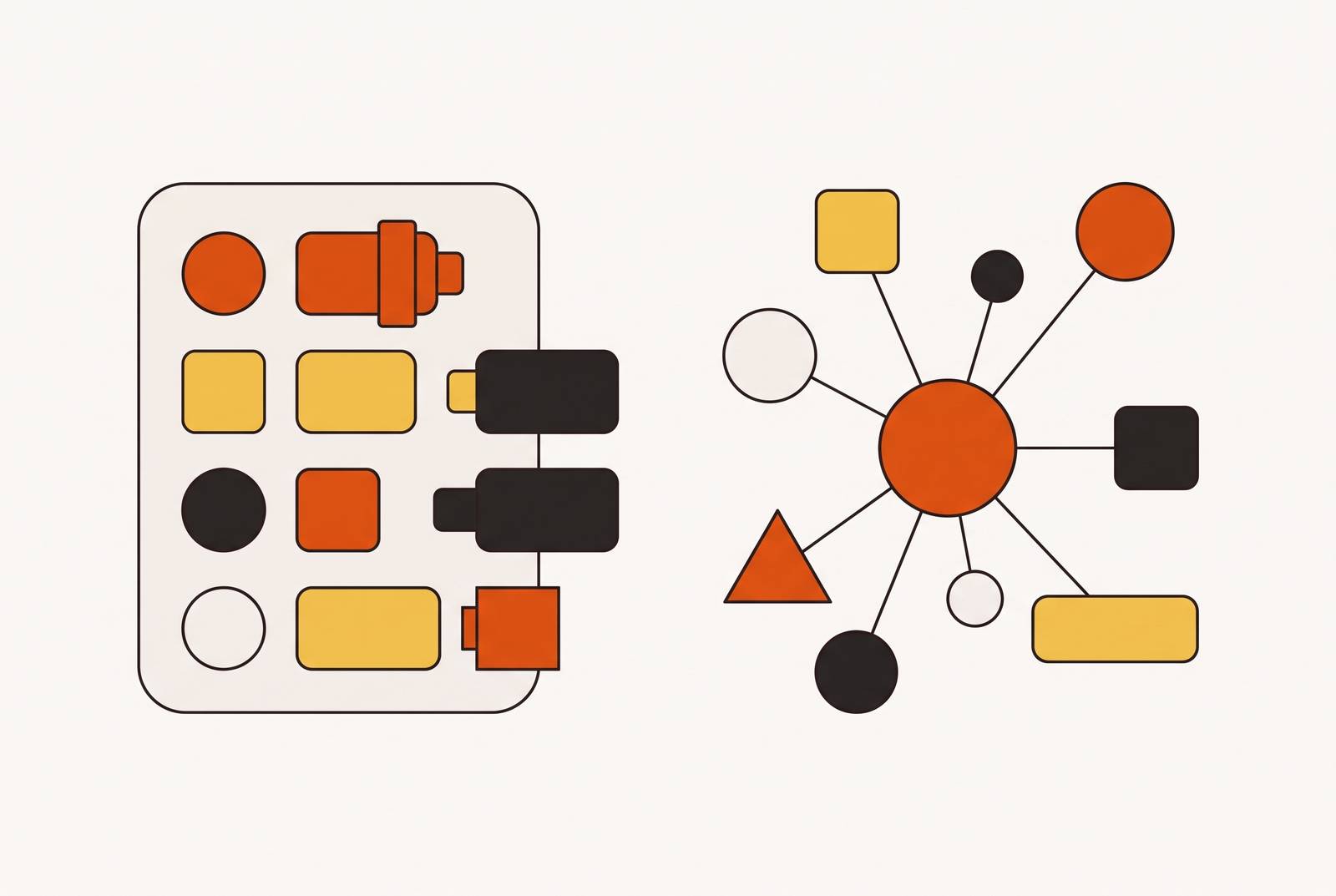
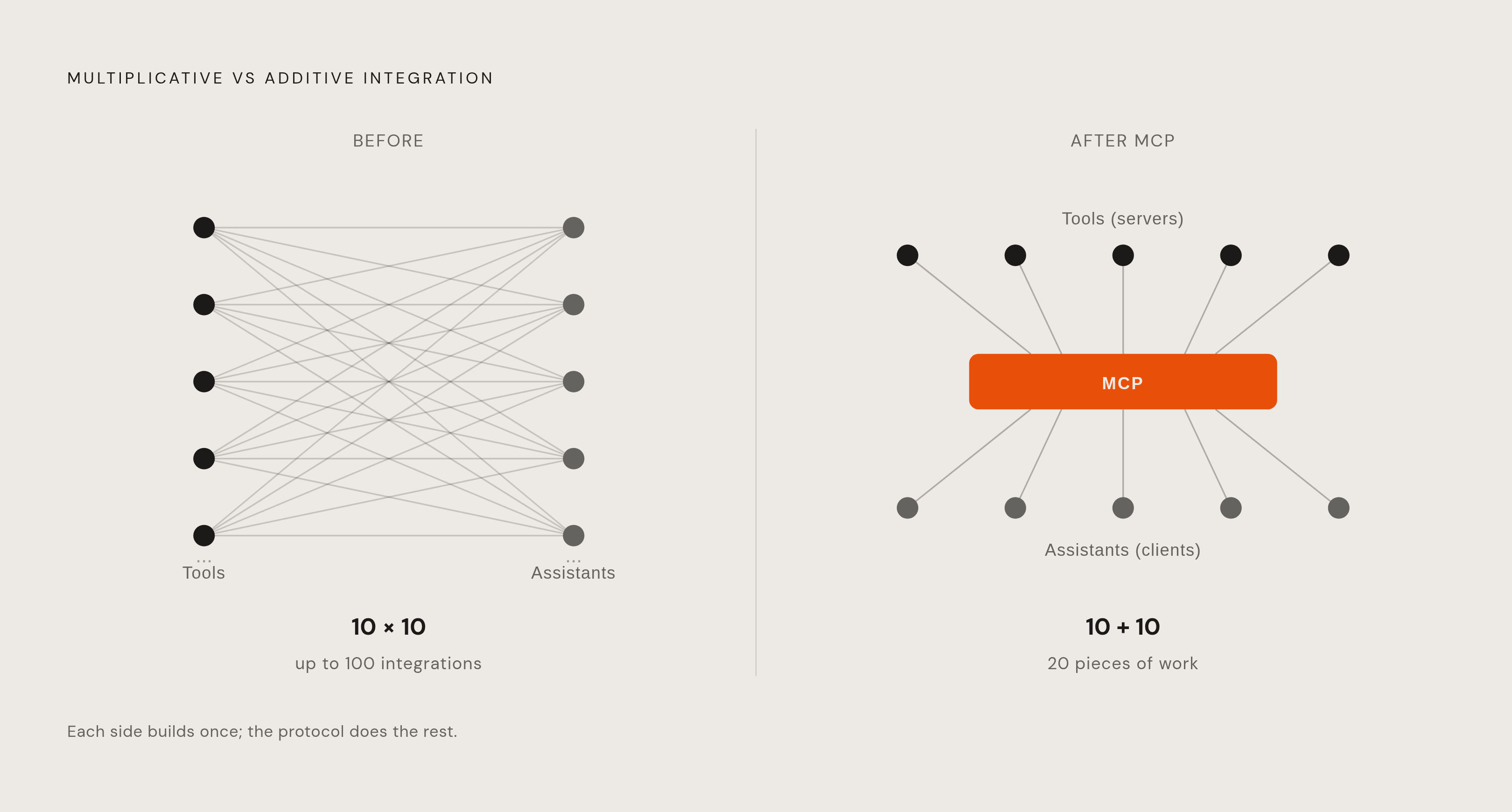
MCP is an open standard that lets any AI assistant talk to any tool or data source through a common interface. Think of it like USB-C: one port shape, any accessory, no adapter drawer. Before something like this existed, every tool needed a custom-built connection to every AI assistant it wanted to work with. Ten tools and ten assistants means, in the worst case, a number of separate integrations that grows multiplicatively with each side. That's the N×M problem, and it's why the plugin era never scaled past its own vendor.
MCP collapses that math. A tool builds one server. An assistant builds one client. Any server talks to any client. Ten tools and ten assistants becomes a fraction of the pieces of work it once took, and the number keeps improving as more of the ecosystem adopts it. That's N+M, and it's the entire reason MCP spread as fast as it did.
The governance timeline backs up the vendor-neutral claim rather than just asserting it. Anthropic released MCP open-source in November 2024. In December 2025, Anthropic handed governance of the protocol to the Agentic AI Foundation under the Linux Foundation, so no single company controls the roadmap anymore. By April 2026, the AAIF was running an MCP Dev Summit in New York, drawing around 1,200 attendees, evidence the standard had grown well past its original author.
Adoption followed the governance shift. OpenAI and Google DeepMind have built MCP support into their platforms. The Python and TypeScript SDKs combined pull in roughly 97 million downloads a month, which is a strange number to sit with: that's not a niche developer tool anymore, that's infrastructure.
The vocabulary map: MCP server, connector, plugin, and skill, what each word means in 2026
Four words get used almost interchangeably in casual conversation, and that overlap causes the confusion. Here's the distinction that actually holds.
An MCP server is the machinery. It's a live service that describes what a tool can do, built on the Model Context Protocol standard, and it runs behind the scenes every time a connector does anything. A connector is the same thing viewed from the user's side: the card in a directory, the button labeled "Connect." Claude uses "connector" as its official term for the entire category, which is probably the cleanest single-word usage across any platform.
Plugin is the messy one. As of the July 2026 rename, it's the umbrella term for the whole integration directory, covering skills, apps, and app templates together. That's not what it meant in 2023, and treating it that way is exactly the trap search results fall into. Confusingly, Claude also uses "plugin" for something narrower: an installable bundle of connectors and skills, mostly relevant inside Claude Code and Cowork. Same word, two different scopes, depending on which platform is using it.
A skill is different in kind, not just in scope. It's packaged instructions, not an integration. No server behind it, no external tool it's reaching into. A skill changes how the assistant behaves; a connector changes what the assistant can reach.
The thing you attach to get into Gmail, Notion, or a CRM is a connector. The machinery running behind that connector is an MCP server. "Plugin" is the one that shifts meaning depending on context, so read it twice before trusting it. And if a builder wants one question to cut through all four terms at once, it's this: does this thing read data, act inside a tool, or change how the assistant talks and thinks? Those three jobs map cleanly onto a connector, a connector with write access, and a skill, respectively.
How MCP connectors work in ChatGPT, Claude, and Cursor, and where each platform draws the line
ChatGPT runs two separate paths. Official apps (Slack, Asana, Canva, HubSpot, Google Drive, GitHub, and others) install with one click from the plugin directory at chatgpt.com/plugins. Custom MCP connectors get added through Developer Mode, where a builder pastes in a server URL directly. That server has to sit on a public HTTPS endpoint; ChatGPT can't reach something running on a local machine or a private network. OpenAI built a Secure MCP Tunnel for that use case.
Plan tier changes what's turned on by default. Enterprise plans ship with apps disabled by default, and admins have to manually enable them. Every connector itself is free to attach. What costs money is the ChatGPT plan and whatever underlying tool you're connecting to.
Write access is murkier than it should be. OpenAI's own developer guide and its help center describe different access levels for Pro and Plus plans, and the documentation doesn't fully agree with itself as of mid-2026. Test write access in an actual account before building a workflow that assumes it works a certain way. And reliability has its own asterisk: community reports through 2026 describe custom apps intermittently disappearing from the directory, OAuth completing successfully but the connector never showing up in chat, and the same MCP server behaving more consistently inside Claude than inside ChatGPT.
Claude connects to more than 200 external tools and data sources through its connector system. On April 28, 2026, Anthropic added nine connectors aimed squarely at creative professionals: Adobe, Blender, Autodesk, Ableton, Splice, Affinity by Canva, SketchUp, Resolume Arena, and Resolume Wire. All nine work across Claude's plans.
February 2026 brought a wider enterprise rollout of Cowork, adding connectors for Google Drive, Gmail, and Docusign, along with customizable plugins built for financial analysis, engineering, and HR work. Custom connectors in Claude Desktop are available across Free, Pro, Max, Team, and Enterprise, though the free tier caps out at a single custom connector.
Cursor, and MCP-compatible tools generally, treat the connector as portable property. Configure an MCP server once inside Cursor, and it moves with you if you switch to a different MCP-compatible client. That portability isn't a nice side effect, it's the proof that the N+M math actually works in practice: build the integration once, carry it anywhere the protocol is spoken.
At the API layer, Claude's Messages API can connect directly to a remote MCP server without needing a separate client in between. MCP tool calls made through the Batches API are priced the same as standard Messages API requests, so there's no separate cost structure to plan around.
What MCP connectors make possible for app builders
The 2023 plugin system forced a specific kind of tax on builders. Integrate for ChatGPT, then integrate again somewhere else if you wanted reach beyond it. Maintain two, three, four separate implementations of the same capability. And whatever you built stayed locked inside whichever assistant you built it for.
MCP changes the actual unit of work. Building one server connects it to ChatGPT, Claude, Cursor, and whatever MCP-compatible client shows up next. The integration becomes a durable asset instead of a walled feature: it keeps paying off as the ecosystem around it grows rather than depreciating the moment a platform changes its roadmap.
For a builder without an engineering background, that shift changes the actual bottleneck. It's no longer "can this integration be wired together at all." It's "can I describe, clearly, what I want the integration to do." The MCP server owns the capability. The AI assistant owns invoking it. The builder's job shrinks down to describing the workflow in plain language and trusting the layers underneath to do their part.
The enterprise numbers back up how real this has gotten. ChatGPT reached a weekly active user base in the hundreds of millions, and a large majority of Fortune 500 companies now use it in some capacity. Enterprise seats grew roughly ninefold year over year. None of that scale holds up on chat alone; it needs real integration into real workplace tools, and MCP connectors are the plumbing making that use case actual rather than theoretical.
Where managed infrastructure fits alongside MCP connectors
Connectors solve one problem, and they solve it well: your AI assistant can read a Notion workspace, post into Slack, or query a live database, all from inside a conversation. Connectors handle the integration itself.
What a connector doesn't hand you is everything else an app actually needs to exist in the world. There's no hosted frontend sitting behind it. No persistent database unless you've wired one up separately. No user authentication, no recurring background tasks, no email notifications, no SEO, no shareable URL a user could actually visit. MCP connectors move data and trigger actions. They don't stand up an application.
That gap is exactly where a lot of builders get stuck after the exciting part is over. Claude described the app, maybe even scaffolded working code for it, and the natural next question is where any of it actually lives. Who's running the hosting? Who's managing the database? Who owns the secrets and the auth tokens involved?
Agentic coding tools that hand infrastructure decisions back to the user haven't solved that problem so much as relocated it. The builder still has to configure a hosting platform, wire up a database by hand, manage secrets somewhere secure, and keep an entire stack alive over time. That's a full engineering job hiding behind what looked, a minute earlier, like a finished conversation.
Using an MCP connector to build full-stack apps without managing the infrastructure yourself
Some platforms exist specifically to close that gap, arriving as an MCP connector that plugs straight into Claude, Cursor, ChatGPT, or any other MCP client. In Claude's case, adding it is a single click from the connector directory, no server URL to copy in by hand.
Backend logic, database storage, user authentication, recurring tasks, email notifications, SEO, and hosting that scales are what actually matter behind that one click, all built into the platform rather than left as homework for the builder. None of it needs separate setup. The connector is the front door; the infrastructure behind it is the part a builder never has to touch.
One example of this pattern comes out of a startup accelerator's recent batch, founded by Yujian, a former staff engineer at Retool who rebuilt its runtime and worked as an early engineer at Asana, and Edward, who scaled a SaaS business to a substantial annual recurring revenue milestone and previously built infrastructure at AWS. The résumés signal that the infrastructure underneath was built by people who've operated at exactly this layer before, not bolted together as an afterthought. As of its YC run, the platform had more than 600 paying customers building on top of it.
Choosing the right integration approach: when to use official connectors, custom MCP servers, or a managed platform
None of this is a single right answer. It's three different tools for three different jobs, and picking wrong just means redoing the work later.
Reach for an official one-click connector, Slack, Google Drive, HubSpot, Canva, and similar, when the tool is already sitting in the ChatGPT or Claude directory, the job is read, search, or summarize inside a workflow that already exists, and there's no custom logic or persistent output riding on top of it. That covers a large share of everyday use cases: pulling context in, not building something new around it.
Reach for a custom MCP server instead, wired up through Developer Mode or Claude Desktop, when the tool isn't in either official directory but already ships its own MCP endpoint. That's the middle ground: more setup than a one-click connector, but still built on the open protocol rather than something proprietary. The same server keeps working even if the assistant on the other end changes.
And reach for a managed, connector-based platform when the goal isn't just reading data or triggering an action inside an existing tool, it's shipping something that has to live somewhere, remember state, authenticate users, and keep running without anyone babysitting the server. That's the line between an integration and an application, and it's the line that decides which of these three approaches actually fits the job in front of you.
Sources
- MCP Server vs Connector vs Plugin vs Skill: What Each Word Means in 2026
- ChatGPT MCP: Setup, Plans, and Limits (2026)
- Connected apps in ChatGPT | OpenAI Help Center
- ChatGPT Plugins vs MCP: What Changed and Why It Matters
- What Happened to ChatGPT Plugins? The Full Story, and What Replaced Them
- The New ChatGPT Plugins: Apps, Skills and MCP Explained
- en.wikipedia.org
- workos.com