Claude MCP Setup for App Building
Learn how MCP turns Claude into an app-building environment that can act on real data.

MCP (Model Context Protocol) is the setting that turns Claude from a conversational assistant into something that can actually build and run an app. Anthropic released it as an open standard in late 2024, and as of December 2025 it's governed by the Agentic AI Foundation under the Linux Foundation, co-run alongside OpenAI and Block. This piece walks through what changes once it's connected, how to set it up, and what non-technical founders have built once the wiring was in place.
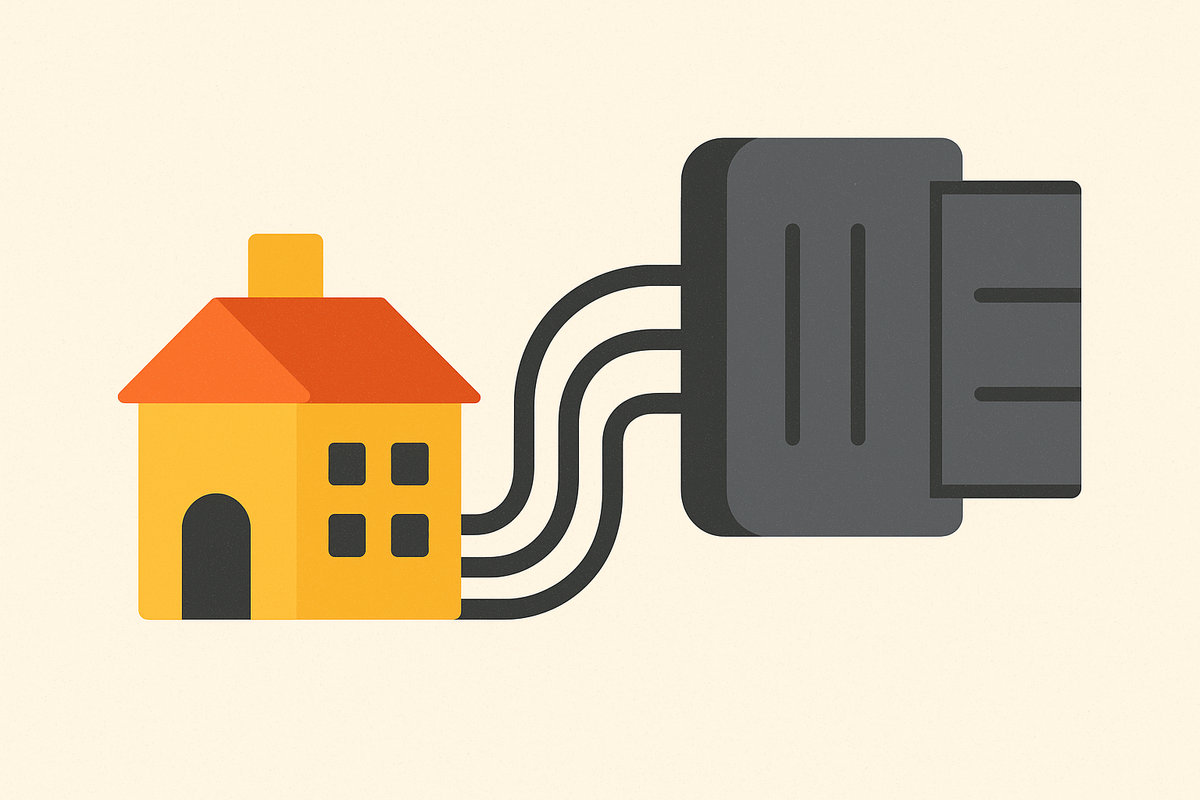
Think of MCP the way you'd think of USB-C. Before USB-C, every device needed its own cable and its own port. MCP does the same job for AI: before it existed, every model needed its own custom connector for every tool, so Claude, ChatGPT, and Gemini each required separate plumbing to talk to a database or an API. MCP replaces that mess with one protocol that all of them can speak. Build a connector once, and it works everywhere a compliant client exists.
The adoption numbers back up that it's not a nice-to-have side project. As of late 2025, there were over 10,000 public MCP servers running and 97 million monthly SDK downloads. That's not experimental traction, that's infrastructure people depend on. And because MCP is model-agnostic, the setup time a non-technical founder spends connecting a server to Claude isn't wasted if they later work in a different AI environment. The connector travels with the standard, not the vendor.
What changes for Claude once MCP is connected
Without MCP, Claude is stuck with what it already knows. It can reason, draft, and explain, but it can't open a file on a builder's machine, pull a live number from an API, or push an update to an external service. It's smart, but it's sealed off.
Connect an MCP server, and that seal breaks. Claude can read and write local files, fetch live data, trigger workflows, and update the tools a founder already uses. With an MCP server connected, Claude answers questions as before but also reasons through problems and takes action with its own hands. It can operate inside the builder's actual environment instead of just describing what should happen there.
The architecture behind this is simple once you see the two pieces. Claude is the MCP Client, the side that needs information or wants a task done. The MCP Server is the gatekeeper: it connects to the real tool, handles authentication, formats the response, and hands Claude clean data it can use. Claude's Messages API can talk to a remote MCP server directly, so there's no separate client software required on top.
Security isn't bolted on after the fact, it's part of the protocol. Connections use OAuth 2.1 with PKCE, the same authorization standard behind most major web logins today. Every connection needs explicit authorization, the builder decides which services Claude can reach, and access can be revoked at any time. The older HTTP+SSE transport was replaced by Streamable HTTP in the March 2025 spec update (version 2025-03-26), carried forward into the November 2025 revision. Any remotely hosted MCP server today runs on a single HTTPS endpoint using that newer transport.
All of that adds up to one practical fact. Connecting MCP is the configuration step that separates a chatbot from a genuine app-building environment.
How to connect an MCP server to Claude
Custom connectors require a paid Claude plan, Pro, Max, Team, or Enterprise.
On Claude's web app, the process needs no code at all:
- Go to profile, then Settings, then Connectors, then Add custom connector
- Paste the remote MCP server's URL and complete the OAuth flow, point and click
- Turn the connector on inside a chat using the "Search and tools" button in the lower left of the chat window
Set it up once on web, and it syncs automatically across Mobile and Desktop too. As of July 26, 2025, Claude's mobile apps also support remote MCP servers directly, so a connector added on a laptop shows up on a phone without repeating the steps.
For a server running locally rather than remotely, the founder runs it on their own machine, uses a tunnelling tool like cloudflared or ngrok to expose it to the internet, and adds the generated URL through the same Settings → Connectors path. Desktop Extensions cut this down further for supported servers, enabling one-click installs that skip the tunnelling step.
Teams and organizations get an even shorter path. An organization Owner enables the connector once, either from Claude's connector directory or under Organisation Settings → Connectors, and after that, individual team members just click Connect. No one else has to configure anything.
Once it's live, using it in a conversation is as simple as clicking "+", then "More," and selecting the connector. From there, its tools sit inside the chat, ready to use like any other capability Claude has.
How the same setup works in ChatGPT and Cursor
ChatGPT supports MCP too, but the path has more steps. Developer mode has to be turned on first, under Settings → Security and login. After that, it's Settings → Connected Apps → Add MCP Server, then paste the URL. A paid plan is required to create an application on the platform at all. Compared to Claude's point-and-click OAuth flow, that's meaningfully more friction, which matters for a founder deciding where to spend their setup time.
Cursor leans toward technical builders, but it's worth understanding for founders who might grow into it. MCP servers get installed and managed from the Customize page, or configured directly in an mcp.json file. Cursor supports servers written in nearly any language, Python, JavaScript, Go, anything that can print to stdout or serve an HTTP endpoint. An MCP Apps extension lets tools return interactive UI alongside plain output, not just text. Official plugins live in the Cursor Marketplace, and a community-run alternative sits at cursor.directory. Setting one up manually just means setting "type" to "http" in mcp.json and supplying the server's URL.
A low-config bridge exists in n8n. Running n8n with an "MCP Server Trigger" turns existing n8n automations into MCP tools, even for apps that don't have native MCP support yet. That output works across Claude Desktop, Cursor, VS Code, and any other MCP client, which is useful for a founder who's already built workflows in n8n and doesn't want to rebuild them from scratch.
Across all three, the pattern holds. Setting up MCP is a configuration task. Paste a URL, complete an auth flow, and the tools show up in the chat. Nobody's writing a driver.
What happens when MCP meets a full-stack infrastructure layer
MCP gives Claude tools, but tools alone don't make a production app. A real app still needs backend logic, a database, user authentication, hosting, basic SEO, and email, none of which Claude can invent out of a conversation by itself.
That gap has a name in 2026: the Technical Cliff. A lot of what looks like a finished product in tools that generate apps from prompts is actually a frontend mockup sitting on nothing. The moment real infrastructure is needed, non-technical founders hit a wall they can't code their way past.
An MCP connector built specifically for app building closes that gap differently. The founder describes what they want in plain language, and the MCP server creates, edits, and publishes a full-stack app in response, with database, authentication, and hosting handled as part of the same process rather than a second project bolted on afterward. The AI itself runs on the builder's existing Claude or ChatGPT subscription over MCP, so there's no separate pool of platform credits to buy and manage. The result is a live app at a shareable link, delivered inside the same conversation where the idea started.
Built-in features that non-coders can lean on include scalable hosting, user management, automatic debugging, the SEO basics a search engine expects, email notifications, and payment integrations through Stripe.
Claude's own Cowork mode is worth knowing for founders who want to hand off more control. Switching the mode toggle from Chat to Cowork in the web app opens up an approvals menu. Choosing "Skip all approvals" lets Claude build and publish continuously without pausing for confirmation at each step. Choosing "Automatically approve" instead means Claude will still stop and check when something looks risky, trading a bit of speed for oversight. Which one a founder picks depends on how much they trust the process versus how much they want to watch it happen.
On pricing, the model that's emerged is flat, not per-token. Builders pay their AI provider directly for the tokens Claude or ChatGPT consumes. The infrastructure layer sits on top as a separate flat cost, not a markup stacked onto AI usage.
How the leading AI app builders compare for non-technical founders
Every platform in this space claims to be full-stack. Few of them actually are, in the sense that matters: infrastructure that's integrated from the start versus infrastructure assembled after the fact from separate services glued together.
Base44 provides backend services, including authentication, a database, role-based permissions, and hosting, alongside a visual editor with code access for those who want it. Wix acquired Base44 in June 2025, and the platform has more than 2 million users, outputting a web app. For founders weighing it, the acquisition means its roadmap is now shaped by Wix's priorities, not an independent one.
Cursor is at the more technical end of the spectrum. It's a flat-rate AI code editor aimed at builders who want direct control over their code. That control comes with a cost for non-technical founders: infrastructure management is still the builder's job, and comfort inside a code editor is more or less required.
Then there's a different category entirely: platforms with no git, no terminal, and no build credits to track, where backend, database, hosting, authentication, and email all come included by default. One such platform, backed by a startup accelerator's recent batch, has a growing user base and thousands of apps built on it already. Its founders, Yujian Yao (a former staff engineer at Retool who also worked at Asana) and Edward Look (who scaled a SaaS business to a substantial annual revenue with more than 10,000 customers, and previously worked on AWS's Route 53 team), built the technical depth into the platform itself so the founder using it doesn't need that depth personally. Pricing here is flat and transparent too, and builders use their own AI subscription for tokens rather than paying a per-token markup routed through the platform.
What this comparison actually resolves isn't which tool is "best." It's which bottleneck a founder is trying to solve. Prototyping speed, native output, granular code control, and production infrastructure without developer overhead are four different problems, and they call for four different tools.
What non-technical founders have actually shipped using this setup
Hamraj's path shows what removing the development bottleneck does to a founder's pace. Before, testing an idea meant waiting days or weeks for someone else's development time, one idea at a time, on someone else's schedule. After moving to an MCP-connected setup, he could test ideas immediately, build platforms on his own, and iterate as fast as the ideas came. The effect compounded: faster testing meant more ideas got tried, which built the kind of confidence that doesn't come from a single win. Eventually that confidence was enough for him to leave his job and build platforms full-time.
What that story really shows isn't time saved on one project. It's a change in how many ideas could be tested at all, which is a different kind of leverage than speed alone.
Alejo's story looks different because he wasn't starting from zero. His travel business already had real demand and an established customer base, and it's projected to reach €5M in revenue this year. What it didn't have was a product to match that demand, so he built a curated-trips website using the platform to close that gap. MCP-connected building isn't only a first-time founder's tool. It's also how an established business owner catches their product up to a business that already works.
Both stories point at the same underlying problem, even though they started from opposite places. The bottleneck was never the idea, the market, or the business model. It was the distance between having an idea and having something live that people could actually use. Closing that distance is what the MCP setup did in both cases.
These are real founders solving real problems, not cherry-picked edge cases. But the tool is built for people who intend to keep an app running and growing over time, not for a one-off weekend experiment that gets abandoned after launch.
Common MCP setup errors and how to resolve them
Most setup problems come down to the same handful of causes, and they're fixable once you know what to check.
Connector won't authenticate: this almost always traces back to the OAuth flow getting interrupted, often by a browser blocking a popup or a session timing out mid-flow. Restarting the "Add custom connector" process from Settings → Connectors and completing the OAuth screen without switching tabs usually clears it.
Server URL rejected: a remote MCP server needs to be reachable over HTTPS using the Streamable HTTP transport from the 2025-03-26 spec. A server still running the older HTTP+SSE transport won't connect the same way, so checking which transport the server actually uses is the first thing to confirm before assuming the URL itself is wrong.
Local server not showing up: this one's usually a tunnelling issue, not an MCP issue. If cloudflared or ngrok isn't actively running, or the generated URL expired and wasn't updated in the connector settings, Claude has nothing to reach. Restarting the tunnel and re-pasting the fresh URL solves it in most cases.
Connector added but tools don't appear in chat. The connector can be authenticated and still sit inactive if it wasn't turned on for that specific conversation. Checking the "Search and tools" button in the lower left of the chat window, or the "+" then "More" menu, usually reveals it just needs to be switched on for that session.
Free plan hits a wall: custom connectors are limited to paid accounts. If a founder needs more than one tool connected at once, that's a plan limitation, not a bug, and it means upgrading rather than troubleshooting further.
Org-wide connector not reaching team members. On Team or Enterprise plans, the connector has to be enabled once at the organization level, either through the connector directory or under Organisation Settings → Connectors, before individual members can click Connect. Skipping that step is the most common reason a team member sees nothing available to connect to.
Most of what looks like a broken integration is really a missed step in authorization or transport, not a flaw in the protocol itself. MCP was built to be a stable standard, and the errors that show up in practice tend to be procedural, not architectural.